How travel policy works
A travel policy sets fixed spending caps for flights and hotels. Runway checks priced flight and stay requests against the active policy automatically.
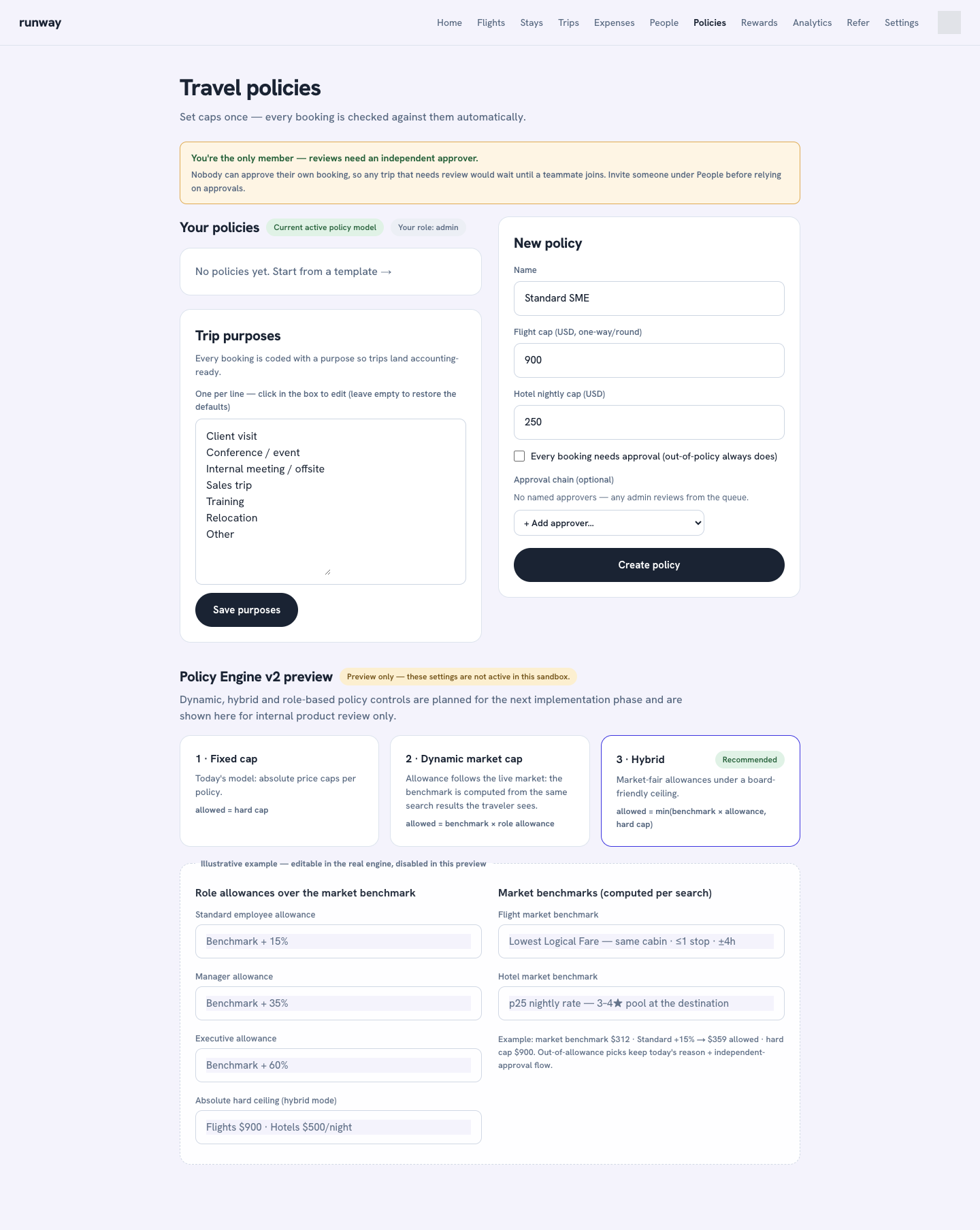
What a policy controls
- Flight cap: the maximum flight total.
- Hotel nightly cap: the maximum room rate per night.
- Approval mode: out-of-policy requests always need approval; admins can also require review for every request.
- Approver chain: one or more named approvers can review in order.
- Trip purposes: flight requests can be coded for accounting and reporting.
Create a policy
- Open Policies.
- Start from a template such as Lean / startup, Standard SME, or Generous, or enter your own policy name and caps.
- Give the policy a name and set the flight cap and hotel nightly cap.
- To send bookings for review, turn on Every booking needs approval and add any named approvers.
- Select Create policy.
Only admins can create or edit a policy. Members can view the active policy and the policy explanation.
Edit trip purposes
Runway includes a default set of trip purposes. To change them, edit the list under Trip purposes, one per line, and select Save purposes. Leave the box empty to restore the defaults.
Policy Engine v2 preview
The lower section of the Policies page shows fixed, dynamic market, hybrid, and role-based models for internal product review.
Preview only
The Policy Engine v2 fields are disabled and do not affect searches or requests. The active implementation uses the fixed caps shown under Your policies.